On this page
- A Morning With Two Systems
- Key Takeaways
- What Is an Appointment and Queue Management System?
- Why “two systems” is the normal setup, and why it breaks
- What One Dashboard Changes
- 1. One list, one order
- 2. No more “I was here first”
- 3. Wait times that count everyone
- 4. Gaps get filled on their own
- 5. All your data in one place
- How It Works, Step by Step
- The Same Morning With One System
- Two Separate Systems vs One Dashboard
- Signs You Need One Dashboard
- Who Needs an Appointment and Queue Management System?
- How to Switch in a Day
- How Promptier Brings Bookings and Walk Ins Together
- Frequently Asked Questions
- What is an appointment and queue management system?
- How do appointments and walk ins appear in one queue?
- What happens when a booked customer is late or doesn’t show?
- Do customers need an app to book or join the queue?
- Can I keep taking bookings on WhatsApp?
- What kinds of businesses need one dashboard for bookings and walk ins?
- How much does it cost?
- Conclusion
An appointment and queue management system puts booked customers and walk ins into one live queue that your front desk runs from a single dashboard. If your business takes both, that one change removes most of the daily chaos at the counter. To see why, look at what a normal morning looks like without it.
A Morning With Two Systems
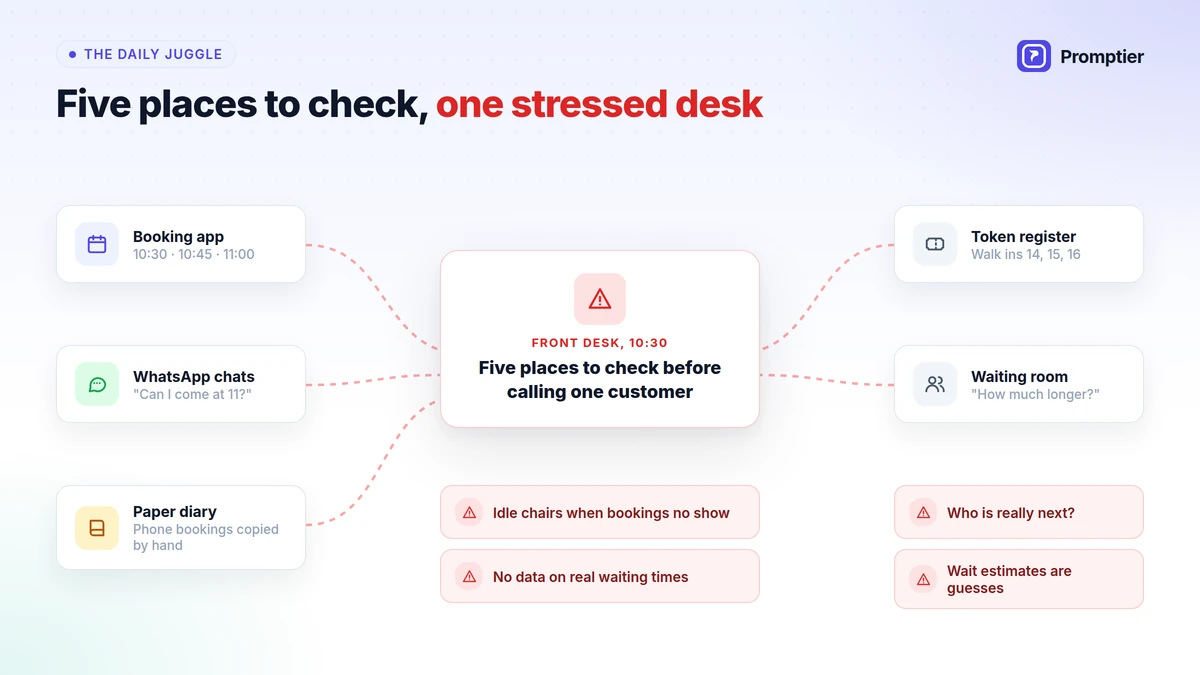
Picture a busy salon, clinic or service centre that takes bookings and walk ins. Bookings sit in one place: a booking app, a diary or a WhatsApp chat. Walk ins sit in another: a token machine, a register or a list on a notepad. Here’s how the morning goes.
- 9:55. Four walk ins are already waiting outside when the doors open. The receptionist hands out tokens 1 to 4.
- 10:00. The first booked customer arrives for 10:00. Token 1 has been waiting longer. Who goes first?
- 10:20. A customer calls to book for 10:30. The receptionist checks the booking app, sees the slot is free and takes it, without counting the three walk ins still waiting.
- 10:30. The 10:30 booking arrives. So does a walk in who asks how long it will be. “About 15 minutes,” says the receptionist, guessing.
- 10:45. A booked customer doesn’t turn up. The staff member sits idle for ten minutes while the receptionist checks the register to find the next walk in.
- 11:10. Token 6 tells the desk they have been waiting 40 minutes and someone who arrived later just went in. That someone had a booking. Token 6 doesn’t know that and leaves.
- 12:30. The owner asks how many customers were served this morning and how long they waited. Nobody knows. The numbers are split across an app, a register and a WhatsApp chat.
None of this happens because staff are careless. It happens because two systems meet at one desk, and a person has to merge them by hand, again and again, all day.
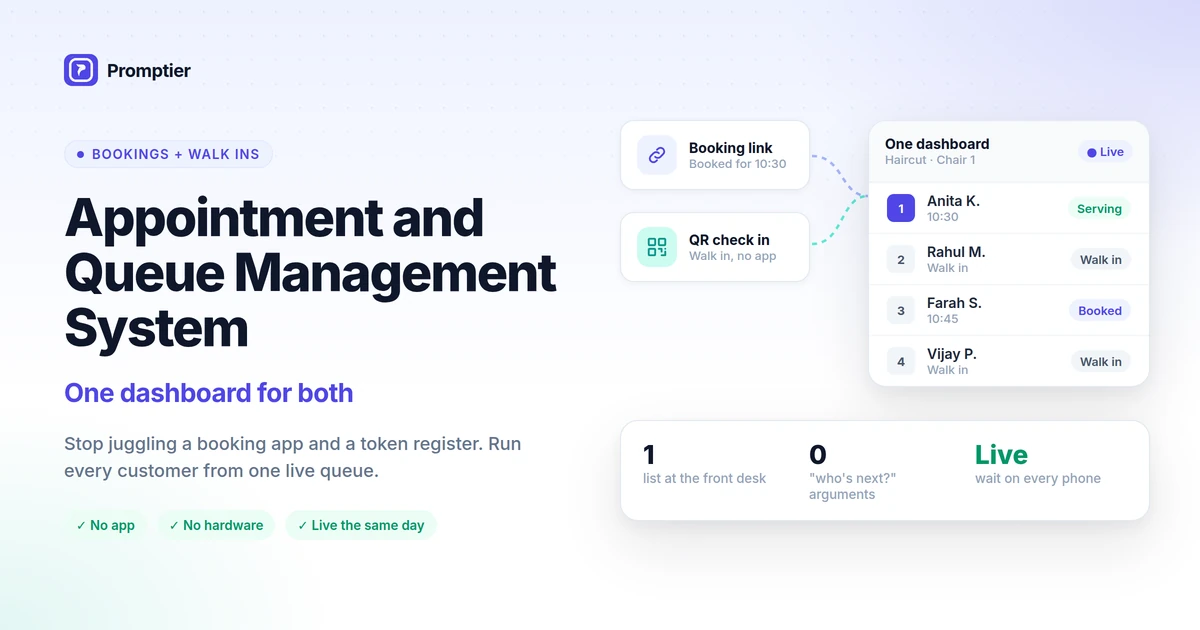
An appointment and queue management system is one tool that handles both booked appointments and walk in customers. Instead of a booking calendar and a separate token queue, everyone who is expected or waiting appears in one live list. Staff call the next person from one dashboard, customers see one position and one estimated wait on their phone, and every visit is timestamped in one place.
Key Takeaways
- Running bookings and walk ins in separate systems forces the front desk to merge two lists by hand all day, which causes disputes, wrong wait estimates and idle time.
- An appointment and queue management system puts both in one live queue, with each person clearly marked as booked or walk in.
- When a booking runs late or doesn’t show, the next walk in is already in the list, so no time is lost.
- Customers see one honest wait time, because the estimate counts everyone in the queue.
- All your visit data sits in one place, so you can finally see real waits and peak hours.
What Is an Appointment and Queue Management System?
An appointment and queue management system combines two tools most businesses run separately:
- An appointment booking system, where customers book a time ahead, usually from a link.
- A walk in queue, where customers who turn up without a booking take a place in line, usually by scanning a QR code or taking a token.
In a combined system, both feed one live queue for each service or staff member. The front desk sees one ordered list, marked “Booked” or “Walk in”. Customers follow their own place in it on their phone.
Key terms used in this guide:
- Walk in: a customer who arrives without a booking.
- No show: a booked customer who doesn’t turn up.
- Unified queue: one list that holds both booked customers and walk ins.
- Estimated wait: an approximate time until a customer is served, based on everyone ahead of them.
Why “two systems” is the normal setup, and why it breaks
Most businesses add tools one at a time. First a register for walk ins. Then a booking app when customers start asking to book. Then WhatsApp because that’s how customers actually get in touch. Each tool solves one problem. Together, they create a new one: nobody has a single view of who is next.
No shows make this worse. A systematic review of appointment research found that the average no show rate is around 23%. The figure comes from healthcare, but any business that takes bookings knows the pattern. With two systems, every no show is a gap your staff have to spot and fill by hand, while walk ins wait in a different list.
What One Dashboard Changes
Moving bookings and walk ins into one dashboard doesn’t make your staff work faster. It removes the work of merging two lists, and the mistakes that come with it.
1. One list, one order
The front desk sees one ordered list for each service or staff member. Booked customers and walk ins are both in it, each clearly marked. Nobody has to compare a diary with a register to decide who is next.
2. No more “I was here first”
When every customer can see their own place in the same queue, most arguments at the desk disappear. The booked customer knows they have a slot. The walk in can see how many people are ahead of them and how long it will take.
3. Wait times that count everyone
In a two system setup, a walk in’s wait estimate ignores the bookings coming up. In one system, the estimate counts everyone in the queue, booked or not. Customers get a number they can trust.
4. Gaps get filled on their own
When a booked customer runs late or doesn’t turn up, the next walk in is already in the same list. Staff call the next person and keep working. No chair or counter sits idle while someone searches a second system.
5. All your data in one place
Every booking and every walk in is recorded with timestamps in one system. You can finally see how long customers really wait, when your peak hours are, and how many bookings don’t show.
How It Works, Step by Step
A typical appointment and queue management system works like this:
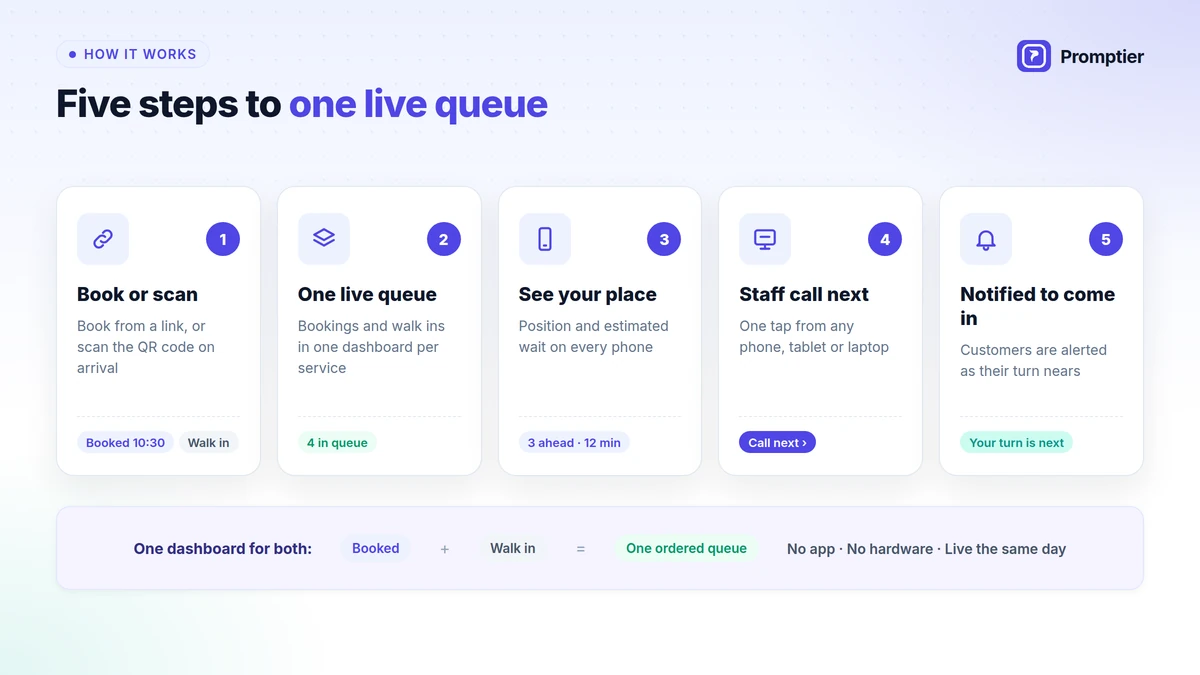
- Book or scan. Customers book ahead from a link you share on WhatsApp, Google or your website, or scan a QR code at the entrance when they walk in.
- One live queue. Booked customers and walk ins appear together in one dashboard for each service.
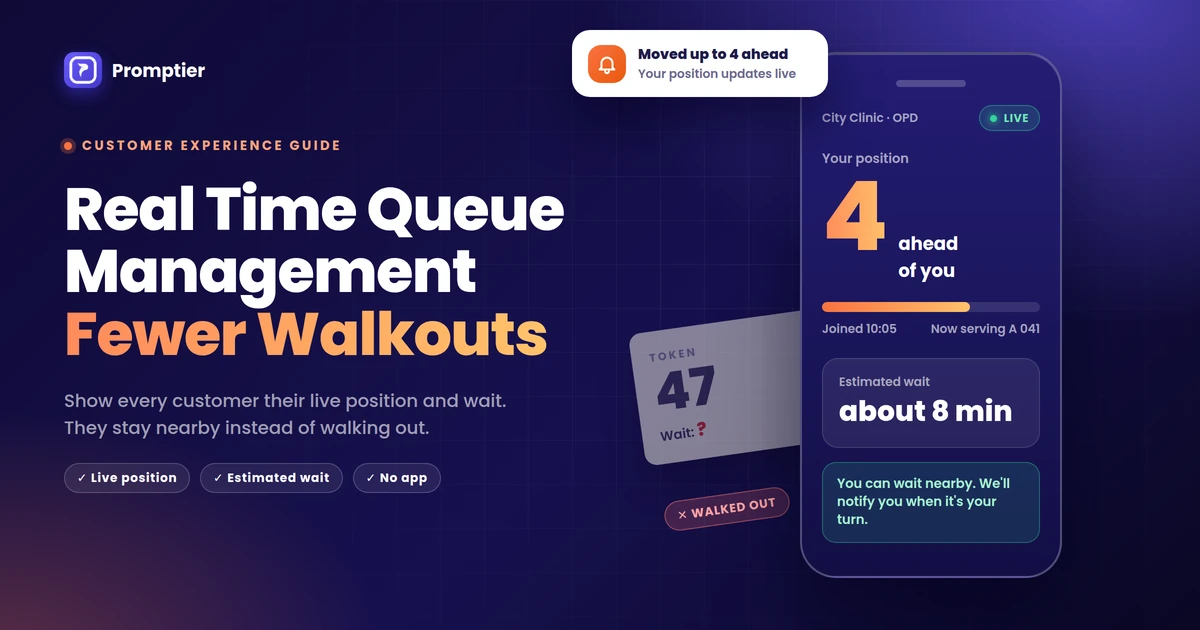
- Everyone sees their place. Each customer sees their position and estimated wait on their own phone, with no app to install.
- Staff call next. Your team calls the next person from one list, on any phone, tablet or laptop.
- Notified to come in. Customers are notified on their phone as their turn nears, so they can wait nearby instead of crowding the lobby.
This is exactly how Promptier’s appointment and queue management system works: bookings and walk ins in one dashboard, QR check in with no app, and live position on every customer’s phone.
The Same Morning With One System
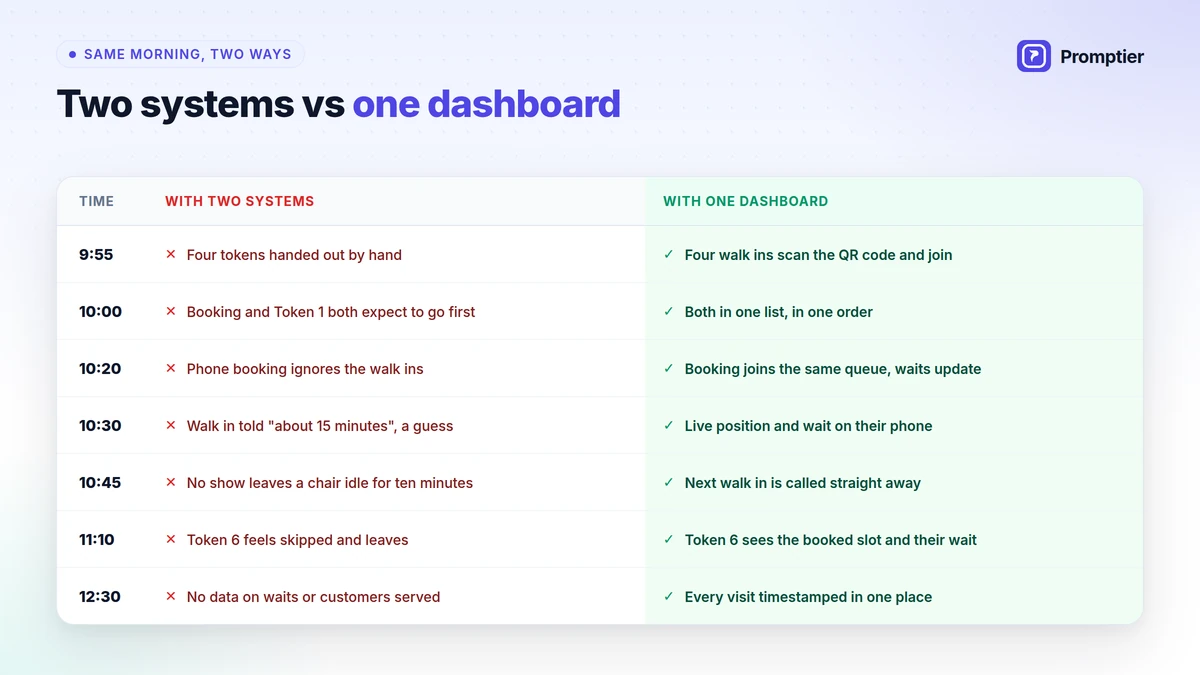
Here’s the morning from the start of this guide again, with bookings and walk ins in one dashboard:
| Time | With two systems | With one dashboard |
|---|---|---|
| 9:55 | Four tokens handed out by hand | Four walk ins scan the QR code and join the queue |
| 10:00 | Booked customer and Token 1 both expect to go first | Both are in one list, in one order, visible to both |
| 10:20 | Phone booking taken without counting walk ins | The booking joins the same queue, and everyone’s wait updates |
| 10:30 | Walk in told “about 15 minutes”, a guess | Walk in sees their live position and estimated wait on their phone |
| 10:45 | No show leaves a staff member idle for ten minutes | Next walk in is already in the list and gets called straight away |
| 11:10 | Token 6 feels skipped and leaves | Token 6 can see the booked slot ahead and their own wait |
| 12:30 | No data on waits or customers served | Every visit timestamped in one place |
Two Separate Systems vs One Dashboard
| Booking tool plus token queue | Appointment and queue management system | |
|---|---|---|
| Who’s next | Staff compare two lists by hand | One ordered queue |
| Wait estimate | Ignores the other list | Counts bookings and walk ins |
| No shows | Counter or chair sits idle | Next walk in already waiting |
| What customers see | A slot time or a token number | Live position on their phone |
| Disputes | Frequent, since nobody sees the full queue | Rare, since everyone sees the same order |
| Hardware | Often a token dispenser, paper and servicing | None, runs on existing devices |
| Data | Split across two tools, or none | Every entry timestamped in one place |
| Staff training | Two tools to learn | One dashboard |
Signs You Need One Dashboard
If three or more of these are true, two systems are costing you time every day:
- Your front desk checks more than one list to decide who is next.
- Booked and walk in customers argue about who came first.
- Walk ins are given wait estimates that turn out to be wrong.
- Staff sit idle when a booking doesn’t show, even though walk ins are waiting.
- Bookings come in through WhatsApp, calls and an app, and someone copies them into a diary.
- You can’t say how long customers waited last week, or when your busiest hour is.
- Your receptionist answers “how much longer?” many times a day.
Who Needs an Appointment and Queue Management System?
Any business where some customers book and others simply turn up:
| Business | Booked customers | Walk ins | What one dashboard fixes |
|---|---|---|---|
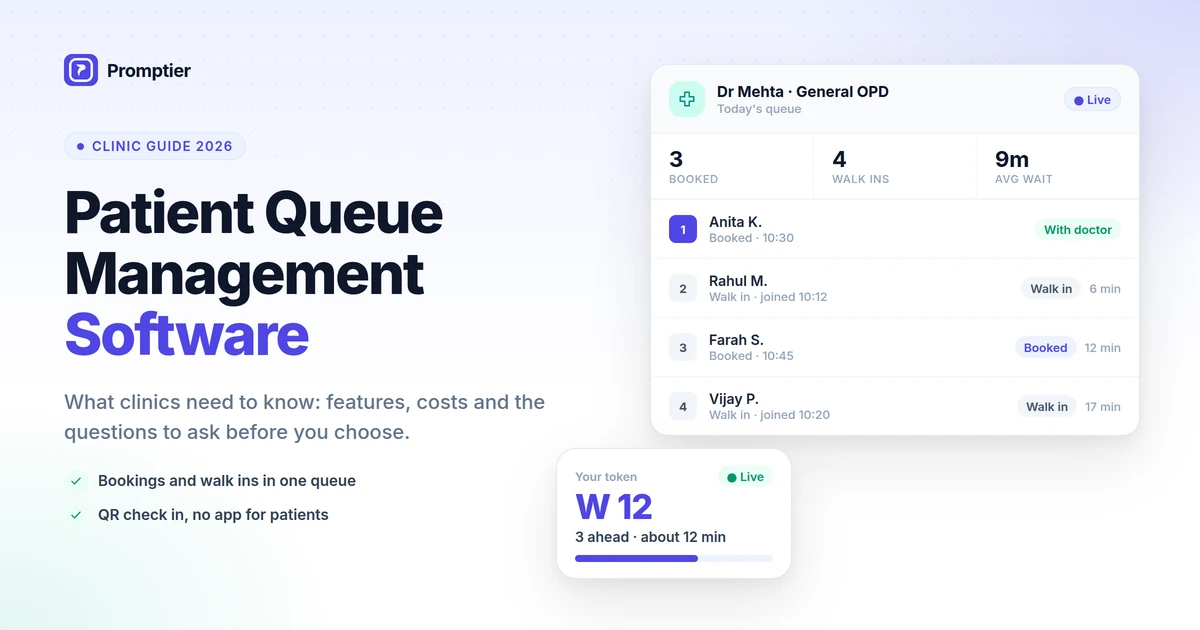
| Clinics and OPDs | Follow ups and consultations | New and urgent patients | Booked and walk in patients in one order per doctor |
| Salons, spas and barbershops | Regulars who book a slot | Walk ins who fill the gaps | One queue per stylist, gaps filled when bookings are late |
| Service centres | Scheduled pickups and repairs | Walk in enquiries | One counter queue instead of two |
| Diagnostic labs | Home collection and booked tests | Walk in sample collection | Clear order at the collection counter |
| Offices and service desks | Pre booked visits | Walk in enquiries | One list for every visitor |
For clinics, see our detailed guide to patient queue management software.
How to Switch in a Day
Moving from two systems to one dashboard doesn’t need new hardware or a long rollout:
- Create your services, one queue for each service, counter or staff member.
- Share your booking link on WhatsApp, your Google Business Profile and your website.
- Print your QR code for the entrance and reception, so walk ins can join from their phone.
- Open the dashboard on the phone or laptop your front desk already uses.
- Put the queue on a TV in the waiting area, if you have one.
- Run both for a day, then retire the old register or token machine.
Keep your existing booking habits. Customers who used to message you on WhatsApp can get your booking link in the same chat.
How Promptier Brings Bookings and Walk Ins Together
Promptier was built for exactly this problem. It puts every booked customer and every walk in into one live queue.
- Appointments and walk ins together in one dashboard, so your front desk works from a single ordered view.
- Built in appointment booking from a link you share on WhatsApp, Google or your website.
- Walk in QR check in from any phone browser, with nothing to install.
- Live position and phone notifications, so everyone knows their place and can wait anywhere.
- Separate queues per service, shown on any TV, with timestamped wait data for planning.
- No hardware, and most businesses are live the same day.
- Pricing. Free to start. Pro is ₹499 per month per location with 1,000 bookings a month and unlimited queue users. Multi location businesses can ask for Enterprise pricing.
Still using a token machine for walk ins? Promptier replaces that too. Read how a digital token management system works.
See how Promptier puts appointments and walk ins in one dashboard
Frequently Asked Questions
What is an appointment and queue management system?
An appointment and queue management system is one tool that handles both booked appointments and walk in customers. Everyone who is expected or waiting appears in one live list, so staff call the next person from a single view and customers see one accurate wait time.
How do appointments and walk ins appear in one queue?
Booked customers and walk ins are shown together in one dashboard for each service, each marked as booked or walk in. The front desk sees who is booked, who has walked in and who is next, and calls the next person from that one list.
What happens when a booked customer is late or doesn’t show?
Because walk ins are already in the same queue, staff can see the gap straight away and call the next person waiting. The counter or chair doesn’t sit idle while someone checks a separate list.
Do customers need an app to book or join the queue?
No. Customers book from a link or join by scanning a QR code, and everything runs in their phone’s browser. There’s nothing to install and no account to create.
Can I keep taking bookings on WhatsApp?
Yes. Share your booking link in WhatsApp chats, on your Google Business Profile and on your website. Customers book from the link, and their booking appears in the same queue as your walk ins.
What kinds of businesses need one dashboard for bookings and walk ins?
Clinics, hospital OPDs, salons, spas, barbershops, diagnostic labs, service centres and offices. Any business that takes bookings and also serves walk ins benefits from one queue.
How much does it cost?
Promptier is free to start. The Pro plan is ₹499 per month per location and includes 1,000 bookings a month with unlimited queue users. Multi location businesses can ask for custom Enterprise pricing.
Conclusion
The chaos at a busy front desk rarely comes from too many customers. It comes from two lists that don’t talk to each other, and a receptionist stuck merging them by hand.
One dashboard fixes the structure, not the staff. One order, one honest wait time, and one place for your data. Your customers stop arguing about who came first, your staff stop losing time to no shows, and you finally see how your day really runs.
Ready to run one queue instead of two? See how Promptier’s appointment and queue management system works and book a free demo. No hardware, no customer app, support in IST hours.
Related reading
See it work in your OPD
Book a free demo and we'll show you how QR-based queuing fits your existing screens and workflow — no app, no new hardware.
Book a Free Demo