On this page
- Key Takeaways
- What Is Patient Queue Management Software?
- How it differs from clinic management software
- Digital check in is already normal in India
- Why Clinics Struggle With Patient Queues
- The appointment and walk in collision
- Other problems a clinic queue creates
- Features a Clinic Actually Needs
- 1. Appointments and walk ins in one queue
- 2. QR check in with no app
- 3. Live position and estimated wait
- 4. Phone notifications
- 5. A queue for each doctor or department
- 6. A simple staff dashboard
- 7. A waiting room display
- 8. Timestamped records
- How Appointments and Walk Ins Share One Queue
- Patient Queue Management Options Compared
- What Patient Queue Management Software Costs
- 10 Questions to Ask Before You Choose
- How to Set Up Patient Queue Management in Your Clinic
- How Promptier Works for Clinics
- Frequently Asked Questions
- What is patient queue management software?
- Does a patient queue system replace my clinic management system or EMR?
- Can one system handle both appointments and walk in patients?
- Do patients need to download an app?
- How does it reduce waiting room crowding?
- How much does patient queue management software cost in India?
- How long does it take to set up in a clinic?
- Conclusion
Patient queue management software decides who sees the doctor next, tells every waiting patient how long they have left, and gives your front desk one list to work from instead of three. For a busy clinic, it’s the difference between a calm waiting room and a reception desk answering “how much longer?” all morning.
If you run a clinic, you know the pattern. Booked patients expect to go in on time. Walk in patients have been waiting since the doors opened. The doctor is running 20 minutes late, a booked patient hasn’t turned up, and your receptionist is trying to keep a diary, a token register and a WhatsApp chat in step.
This guide explains what patient queue management software does, which features actually matter for a clinic, what it costs, and the questions to ask before you choose one.
Patient queue management software is a tool that manages the order in which patients are seen and shows each patient their live position and estimated wait. The best options for clinics put booked appointments and walk in patients in one queue, let patients check in by scanning a QR code with no app, notify them on their phone as their turn nears, and record every visit with timestamps. Browser based options run on the phones, laptops and TVs a clinic already has.
Key Takeaways
- The biggest source of front desk stress in most clinics is running appointments and walk ins in two separate systems.
- Good patient queue management software puts both in one live queue, so staff call the next patient from a single list.
- Patients should be able to check in by QR code and follow their place on their phone, with no app and no account.
- Queue software sits next to your clinic management system or EMR. It manages the wait, not the medical record.
- Browser based tools cost far less than token machines and can be live the same day.
What Is Patient Queue Management Software?
Patient queue management software is a digital system that manages how patients check in, wait and get called for consultation. It replaces paper tokens, registers and shouted names with a live queue that staff control from a dashboard and patients follow on their phones or a waiting room screen.
Most tools do four jobs:
- Check in: the patient joins the queue, usually by scanning a QR code at reception or booking ahead from a link.
- Ordering: the software keeps one ordered list per doctor or department.
- Visibility: each patient sees their live position and estimated wait, and a TV shows who is being seen.
- Records: every entry is timestamped, so you can see real waiting times and peak hours.
Key terms used in this guide:
- Walk in patient: a patient who arrives without a booking.
- Booked patient: a patient with an appointment time.
- OPD: the outpatient department, where patients are seen without being admitted.
- Live position: the patient’s current place in the queue, such as “3 ahead of you”, updated as patients are called.
How it differs from clinic management software
Clinic management software and EMRs store patient records, prescriptions and bills. Patient queue management software manages the waiting room: who is here, who is next and how long each patient will wait. Many clinics run both side by side. If your clinic management tool already has a basic token feature, the question is whether it shows patients their live position, handles walk ins and bookings together, and works without an app.
Digital check in is already normal in India
Indian patients are already used to scanning a QR code to register for an OPD visit. The government’s ABHA based Scan and Register service (earlier called Scan and Share) lets patients register by scanning a QR code at the hospital counter. It has crossed 25 crore OPD registrations across more than 30,800 health facilities, and the National Health Authority has said it significantly reduces waiting time at registration. Patients who can register by QR code at a government hospital will expect the same at a private clinic.
Why Clinics Struggle With Patient Queues
A clinic queue is harder to run than most because it mixes two kinds of patient with very different expectations.
The appointment and walk in collision
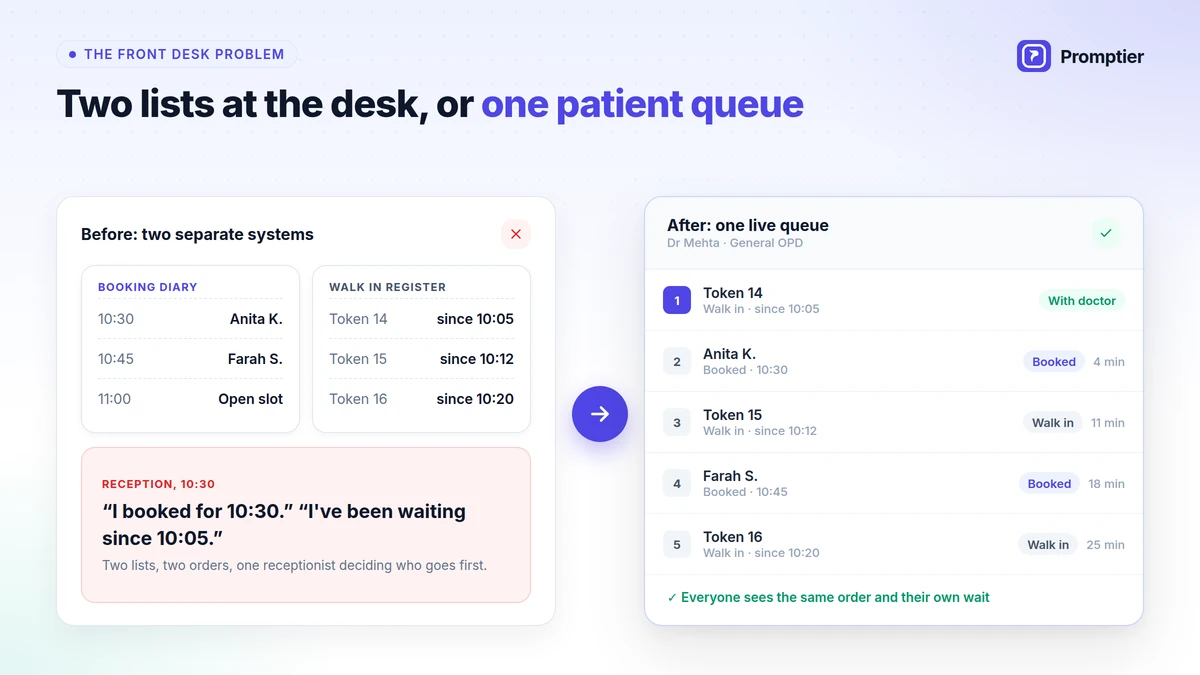
Most clinics take bookings in one place, such as a diary, a booking app or WhatsApp, and manage walk ins in another, such as a token machine or a register. Each works on its own. The trouble starts at the front desk, where one person has to merge two lists by hand, every few minutes, while patients watch.
That’s where the arguments come from. “I booked for 10:30.” “I’ve been waiting since 10:05.” Both patients are right, and neither can see the other’s list.
Other problems a clinic queue creates
- Wait estimates are guesses. A walk in is told “about 15 minutes”, but the three bookings coming up aren’t counted.
- No shows leave gaps. A booked patient doesn’t come, and the doctor waits while the receptionist checks the walk in register.
- Crowded waiting rooms. Patients stay in the room for fear of missing their turn, which matters more in a clinic, where some of them are unwell.
- Reception overload. Every “how much longer?” takes the receptionist away from new arrivals and phone calls.
- No data. Without timestamps, you can’t tell how long patients really wait or when to add a second doctor.
Even in large hospitals, waiting adds up. A 2024 time and motion study of an outpatient department at a tertiary hospital in Tamil Nadu measured an average total waiting time of about 32 minutes per visit. Waits like that feel far longer when patients can’t see how much is left.
Features a Clinic Actually Needs
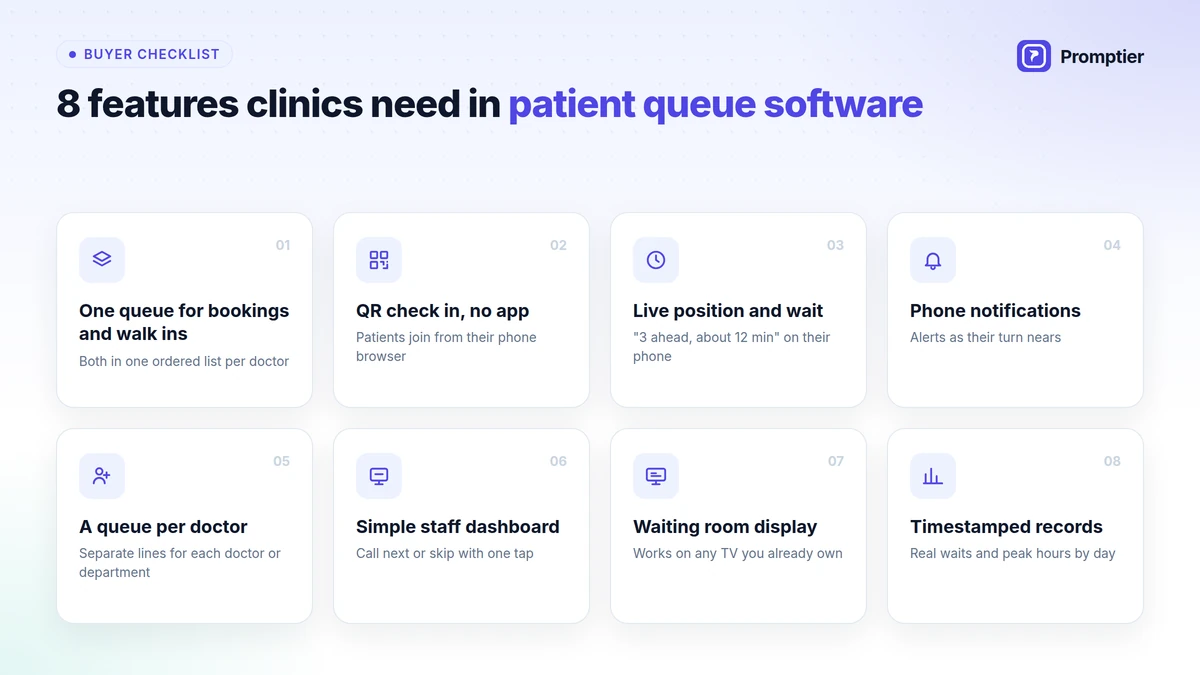
Plenty of tools call themselves patient queue management software. These are the features that make a difference in a clinic, in rough order of importance.
1. Appointments and walk ins in one queue
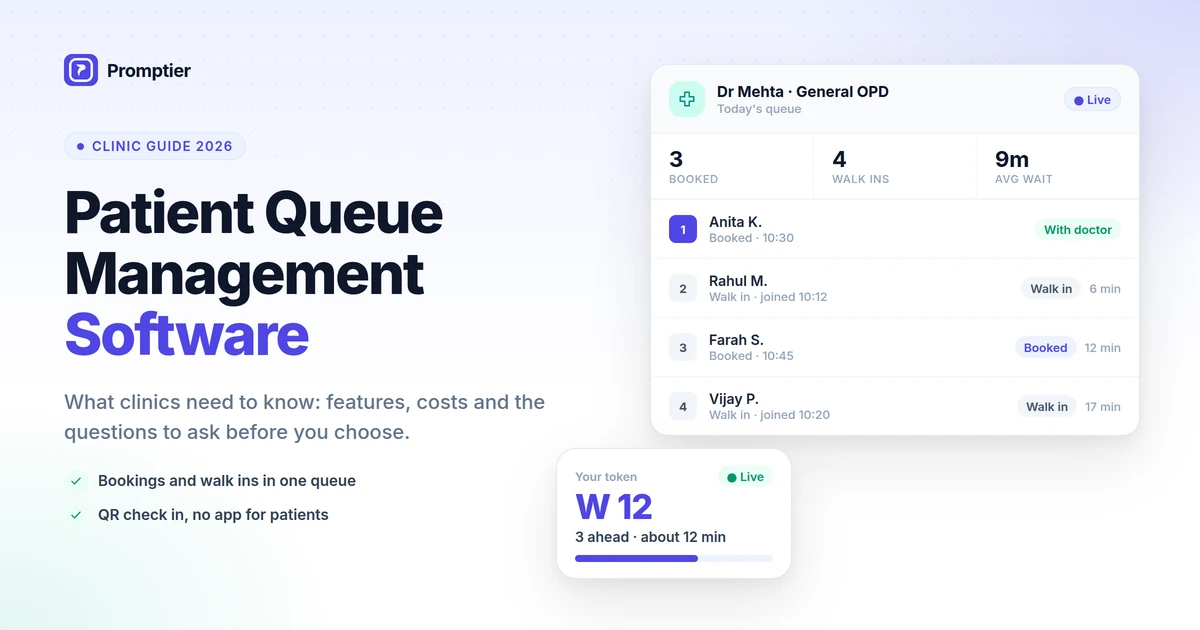
This matters more than anything else. Booked and walk in patients should appear in one ordered list per doctor, marked “Booked” or “Walk in”, so the front desk never has to merge two lists by hand. If a tool handles only walk ins or only bookings, you’ll still be juggling.
2. QR check in with no app
Patients should join by scanning a QR code at reception and follow their place in their phone’s browser. Asking a patient with a fever to download an app and create an account won’t work.
3. Live position and estimated wait
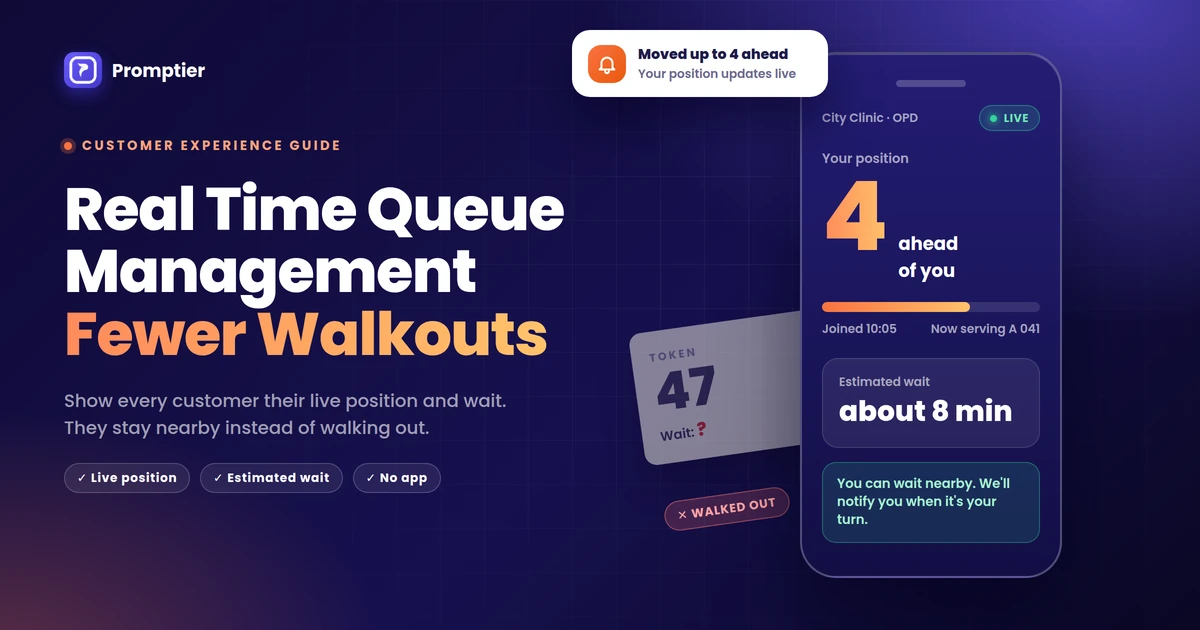
Each patient should see “3 ahead of you, about 12 minutes” on their phone, updated as the doctor calls patients. This one feature removes most “how much longer?” questions at the desk.
4. Phone notifications
Patients should be notified on their phone as their turn nears. That lets them wait outside, in their car or at the pharmacy, which keeps the waiting room less crowded.
5. A queue for each doctor or department
A clinic with two doctors, or a doctor plus a lab or physiotherapy, needs a separate queue for each. Patients should see the queue for the doctor they are waiting for, not one mixed line.
6. A simple staff dashboard
Reception and doctors should be able to call next or skip with one tap, from any phone, tablet or laptop. If staff need training to use it, they won’t.
7. A waiting room display
A TV or monitor in the waiting area should show the token being seen. It helps patients who look up rather than at their phones, and it should work on a screen you already own.
8. Timestamped records
Every check in, call and consultation should be recorded with a time. That gives you real waiting times, peak hours by day, and a record to check when a patient says they were skipped.
How Appointments and Walk Ins Share One Queue
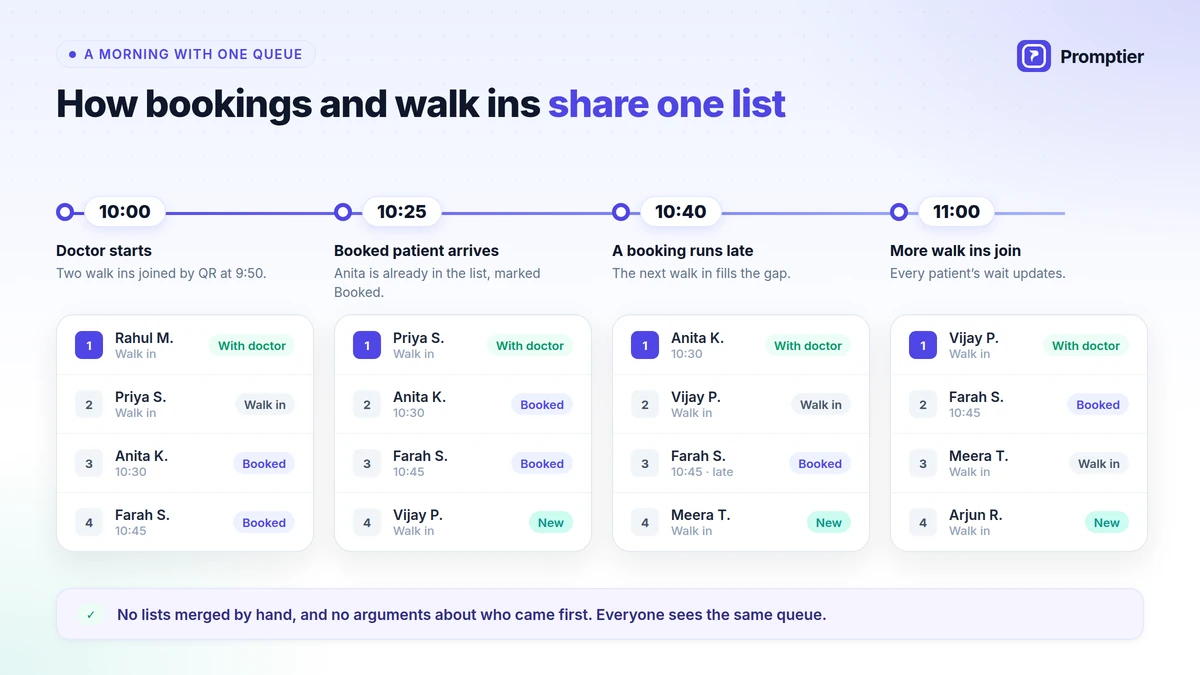
Here’s how a typical morning looks for one doctor when bookings and walk ins are in the same queue:
| Time | What happens | What the front desk sees |
|---|---|---|
| 10:00 | Doctor starts. Two walk ins scanned the QR code at 9:50. | One list: Walk in, Walk in, Booked 10:30, Booked 10:45 |
| 10:25 | Booked patient for 10:30 arrives at reception. | They are already in the list, marked Booked. Walk ins can see how many are ahead of them. |
| 10:40 | The 10:45 booked patient messages that they’ll be late. | The next walk in is already in the list, so the doctor keeps seeing patients. |
| 11:00 | Three more walk ins join from the waiting room QR code. | They join the same list, and every patient’s estimated wait updates. |
| 11:30 | Morning ends. | Every entry has join, call and finish times for the day’s report. |
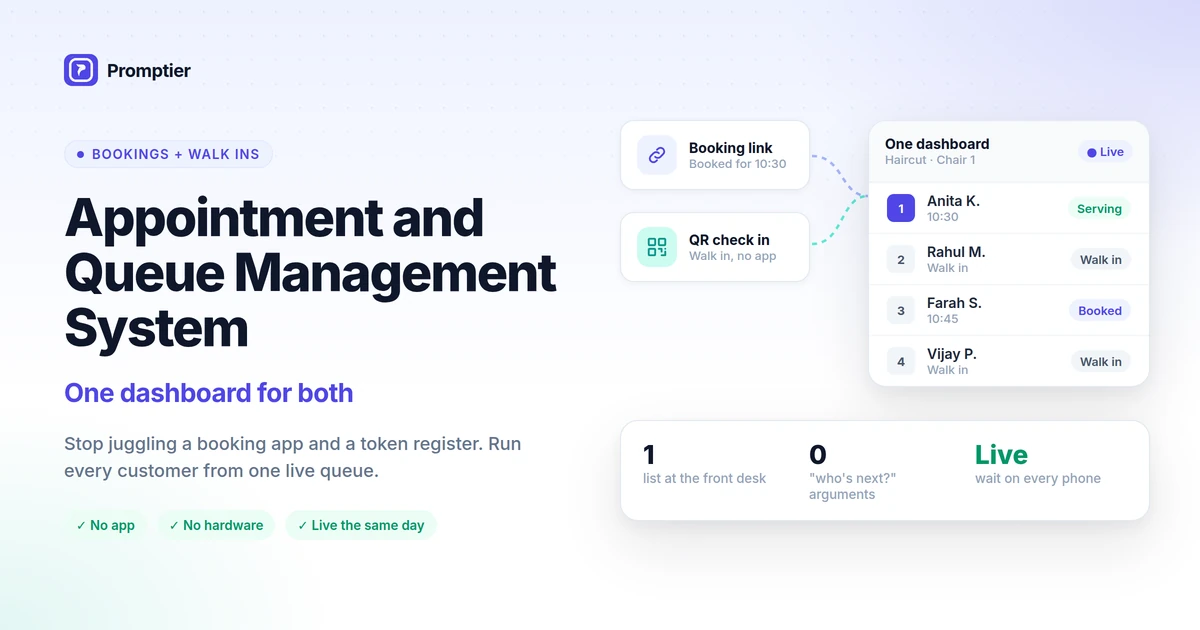
Nobody merges lists by hand, and nobody argues about who came first, because everyone can see the same queue. This is the approach behind Promptier’s appointment and queue management system, which shows booked patients and walk ins together in one dashboard for each service.
Patient Queue Management Options Compared
| Paper register | Token machine | Booking app plus token queue | Patient queue management software | |
|---|---|---|---|---|
| Handles bookings and walk ins together | No | No | No, two separate lists | Yes, one live queue |
| Patient sees live position | No | No, only the number called | No | Yes, on their phone |
| Estimated wait | No | No | Counts only one list | Counts everyone in the queue |
| Patient can wait outside | No | Risky | Risky | Yes, notified on their phone |
| Data on waiting times | None | Limited | Split across two tools | Every entry timestamped |
| Hardware | None | Dispenser, paper, servicing | Dispenser or register | None, runs on existing devices |
| Setup | Instant | Vendor installation | Two tools to set up | Usually the same day |
What Patient Queue Management Software Costs
Costs vary widely, so compare the whole cost, not just the monthly fee.
- Token machines cost roughly ₹9,000 to ₹40,000 or more for the hardware, plus paper rolls and servicing. See the full breakdown in our token machine vs digital queue cost comparison.
- Hospital and clinic management suites often include a basic queue module, but the queue is one small part of a larger, more expensive system.
- Browser based queue software usually charges a monthly subscription, with no hardware. Promptier, for example, is free to start, and its Pro plan is ₹499 per month per location, including 1,000 bookings a month.
Also count the hidden costs: receptionist time spent merging lists, doctor time lost to no show gaps, and patients who leave because the wait looked too long.
10 Questions to Ask Before You Choose
Use these questions in any demo. A vendor that can’t answer them clearly isn’t the right fit for a clinic.
- Can booked and walk in patients sit in one queue, clearly marked?
- Can patients check in by QR code without installing an app or creating an account?
- Do patients see their live position and estimated wait, and does the estimate count both bookings and walk ins?
- Are patients notified on their phone as their turn nears?
- Can I run a separate queue for each doctor or department?
- Does it run on the phones, laptops and TV we already have, or do we need to buy hardware?
- Is every entry timestamped, and can I see or export waiting time data?
- What patient data is collected, where is it stored, and who can see it? Clinics handle personal data, and India’s Digital Personal Data Protection Act, 2023 applies, so ask for a clear answer.
- How long does setup take, and who helps us if something goes wrong? Is support available in IST hours?
- What does it cost in total, including bookings, extra staff logins and additional locations?
How to Set Up Patient Queue Management in Your Clinic
With a browser based system, most clinics can be live in a day:
- Create a queue for each doctor or service, such as “Dr Mehta, General” or “Physiotherapy”.
- Share your booking link on WhatsApp, your Google Business Profile and your website, so patients can book ahead.
- Print the QR code and place it at the entrance and reception for walk ins, with one line: “Scan to join the queue. No app needed.”
- Open the display page on the waiting room TV.
- Log in reception and doctors on the phones or laptops they already use.
- Tell patients they can wait outside. A small sign helps: “Follow your place on your phone. We’ll notify you.”
- Check the data after two weeks. Look at average waits, peak hours and no shows, then adjust booking slots and staffing.
How Promptier Works for Clinics
Promptier is a clinic queue system built around the collision that clinics deal with every day: bookings and walk ins arriving at the same desk.
- Appointments and walk ins in one queue. Booked patients and walk ins appear together in one dashboard for each service, so reception calls the next patient from one list.
- Built in booking. Patients book from a link you share on WhatsApp, Google or your website.
- QR check in, no app. Walk ins scan a QR code and join from any phone browser.
- Live position and estimated wait, with phone notifications as their turn nears, so patients can wait anywhere.
- A queue per service or doctor, shown on any TV you already own.
- Every entry timestamped, so you can see real waiting times and peak hours.
- No hardware. Most clinics are live the same day.
- Pricing. Free to start. Pro is ₹499 per month per location with 1,000 bookings a month. Multi location clinics and hospital groups can ask for Enterprise pricing.
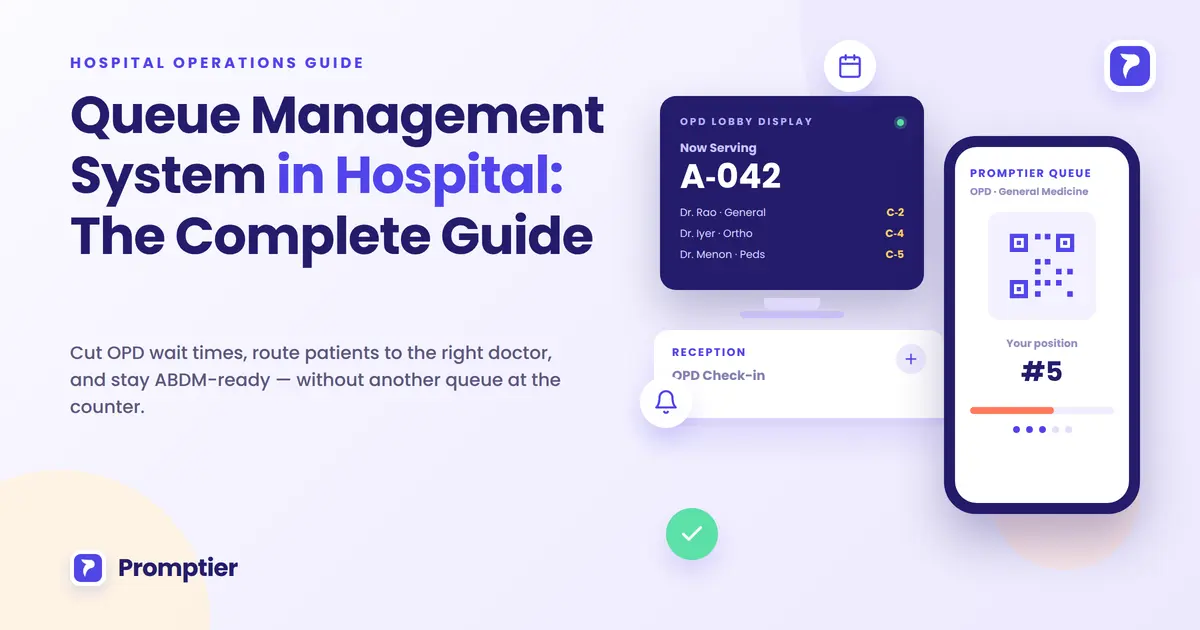
Running a larger OPD? See the hospital queue management system and our complete guide to queue management in hospitals.
See how Promptier puts appointments and walk ins in one queue
Frequently Asked Questions
What is patient queue management software?
Patient queue management software is a digital system that manages how patients check in, wait and get called for consultation. It keeps an ordered queue for each doctor, shows each patient their live position and estimated wait, and records every visit with timestamps.
Does a patient queue system replace my clinic management system or EMR?
No. Clinic management software and EMRs hold patient records, prescriptions and billing. A queue system manages the waiting room: who is here, who is next and how long each patient will wait. Most clinics use both.
Can one system handle both appointments and walk in patients?
Yes, and for most clinics it should. The best tools put booked patients and walk ins in one live queue for each doctor, so the front desk works from one list instead of merging a booking diary and a token register by hand.
Do patients need to download an app?
Not with a browser based system. Patients scan a QR code or open a booking link, and everything runs in their phone’s browser. There’s nothing to install and no account to create.
How does it reduce waiting room crowding?
Patients can see their live position and estimated wait on their phone and are notified as their turn nears, so they don’t need to stay in the waiting room. Many choose to wait outside or run a short errand instead.
How much does patient queue management software cost in India?
It depends on the type. Token machines cost roughly ₹9,000 to ₹40,000 or more in hardware, plus upkeep. Browser based software usually has a monthly fee and no hardware. Promptier is free to start, and its Pro plan is ₹499 per month per location.
How long does it take to set up in a clinic?
With a browser based system, most clinics are live the same day. You create a queue for each doctor, share your booking link, print a QR code and open the dashboard on devices you already have.
Conclusion
A clinic’s waiting room problem is rarely about the doctor’s speed. It comes from running bookings and walk ins in separate places, and from patients who can’t see how long they’ll wait.
The right patient queue management software fixes both. It puts every patient in one queue, shows each one their live position, lets them wait outside, and gives you the data to plan your day. Choose a tool that does that without an app for patients or hardware for you, and your front desk will feel the difference in the first week.
Ready to end the collision at your front desk? See how Promptier’s appointment and queue management system works and book a free demo. No hardware, no patient app, support in IST hours.
Related reading
See it work in your OPD
Book a free demo and we'll show you how QR-based queuing fits your existing screens and workflow — no app, no new hardware.
Book a Free Demo